

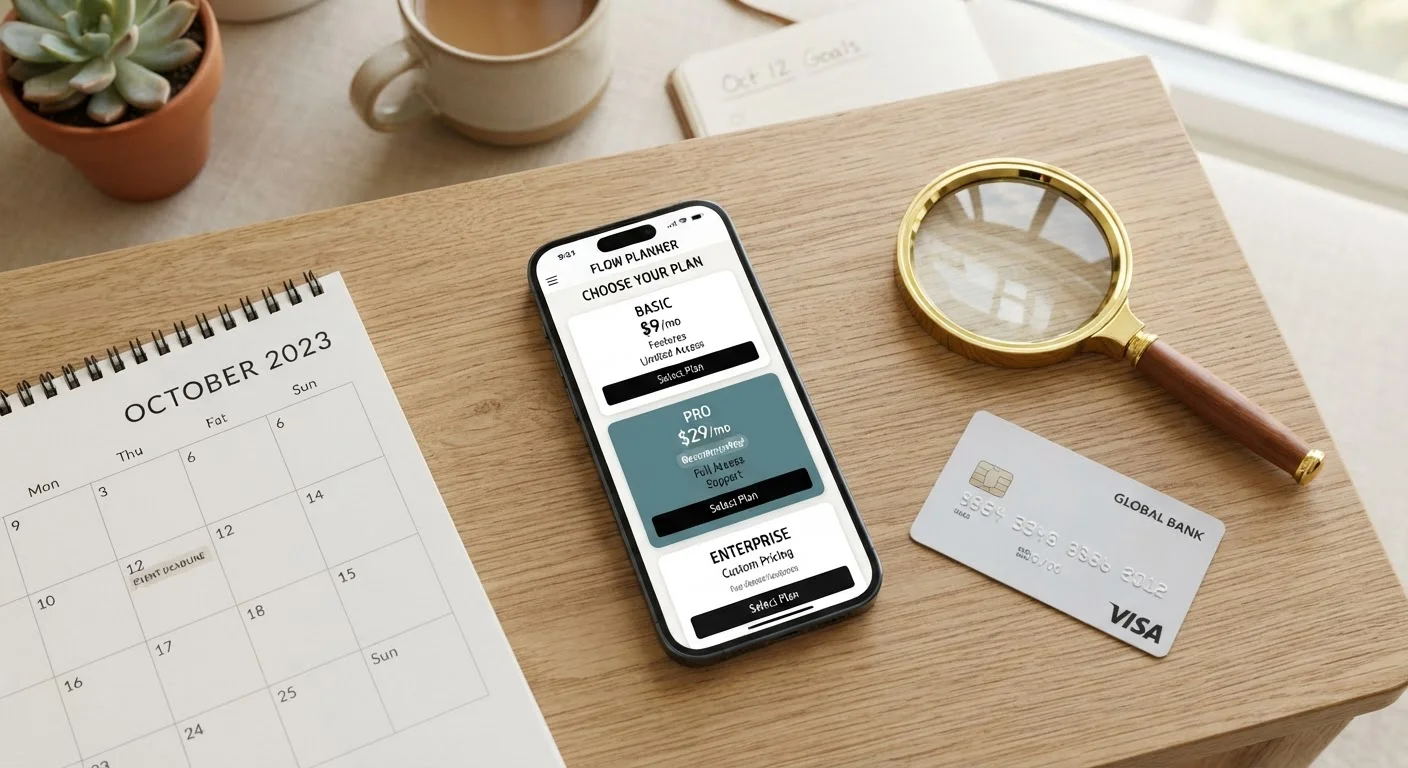
The Basic Structure of Subscription App Pricing
Most subscription apps follow a predictable pricing architecture, even if the labels vary. You'll encounter a free tier (sometimes called a freemium plan), one or more paid tiers, and occasionally an enterprise or team plan aimed at businesses. Each tier gates certain features, storage limits, or usage caps.
Pricing is typically offered in two billing cycles: monthly and annual. Annual billing is almost always discounted - commonly 15-30% less than paying month-to-month - but it commits you to a full year upfront. If you cancel early, most apps do not issue prorated refunds for the unused months, though policies vary. For a deeper look at what those tier differences actually mean for everyday use, see what free and paid app plans actually include.
Many developers also offer a family or group plan that spreads one subscription cost across multiple accounts. If more than one person in your household uses the same app, this is worth calculating - it often works out cheaper per person than individual subscriptions.
How Free Trials Actually Work
A free trial grants full or limited access to a paid plan for a set period - commonly 7, 14, or 30 days - before any charge hits your account. The critical detail most readers miss: you almost always provide payment information before the trial begins. If you don't cancel before the trial ends, the subscription starts automatically.
Free Trials Require a Payment Method Upfront
Providing your payment details to start a free trial authorizes the developer or platform to charge you automatically once the trial period ends. This is standard industry practice and is disclosed in the sign-up terms. Set a calendar reminder for at least two days before the trial ends - not on the last day - to give yourself time to cancel before the billing cycle triggers.
This model is legal and disclosed in the sign-up terms, but the responsibility for canceling sits entirely with the subscriber. App developers are not required to send a reminder before charging you, though some do as a courtesy.
Set a calendar reminder for at least two days before the trial ends - not on the last day - to give yourself time to cancel before the billing cycle triggers.
Understanding What Each Tier Actually Includes
Tiered pricing is designed so that the most useful features sit in higher-cost plans, nudging users to upgrade. Before choosing a tier, compare the feature lists carefully rather than defaulting to the cheapest option. Look specifically at:
- Storage or usage limits - cloud storage, number of projects, or API calls per month
- Export and integration options - many apps restrict file export formats or third-party integrations to paid tiers
- Collaboration features - sharing, commenting, or multi-user access often requires a higher plan
- Support access - free-tier users frequently receive only community or email support, while paid tiers include live chat or priority response
It's also worth understanding how software licensing works alongside subscription terms - your access to the app and your rights to data you've created inside it are separate questions.
Read the full pricing page, including the feature comparison table, before selecting a plan.
Marketing copy emphasizes what each plan includes, but the feature comparison table reveals what it excludes. Choosing a plan without checking limits often leads to hitting a usage cap or missing a needed feature shortly after subscribing.
Set a calendar reminder two days before any free trial ends.
Automatic charges after trial periods are among the most common sources of unexpected billing. A two-day buffer gives you time to cancel if you decide not to continue, even if the cancellation process takes a few steps.
Identify which platform manages your subscription before you sign up.
Subscriptions initiated through app store platforms must be canceled through those platforms, not through the app itself. Misunderstanding this is a frequent cause of duplicate or unintended charges.
Calculate the true annual cost before choosing monthly billing.
Monthly billing appears lower upfront but compounds to a higher annual total. Comparing the full-year cost of both options helps you make a financially accurate decision.
Review cancellation and refund terms before subscribing, not after.
Refund eligibility, cancellation notice periods, and data retention after cancellation are all defined in the terms of service. Finding out these terms after a charge has occurred limits your options significantly.
What to Check Before You Hit Subscribe
Taking three to five minutes to review the following before signing up can prevent significant frustration later. Subscription terms are legally binding, and many consumers discover limitations only after they've committed.
One area that catches people off guard is where the subscription is billed. If you subscribe through Apple's App Store or Google Play, your subscription is managed through that platform - not directly through the developer. Canceling through the app's own settings page will not cancel an App Store or Play Store subscription; you must cancel through the platform's subscription management screen. If you subscribed directly on the developer's website, cancellation happens in your account settings there.
Refund policies also differ by channel. Trial and refund terms vary more than most people expect, and app store platforms have their own refund policies separate from the developer's stated terms.
2-3×
Underestimate of monthly subscription spending
Research from subscription management platforms consistently finds consumers underestimate their total monthly subscription spending by a factor of two to three.
48%
Users who forget an active subscription within 3 months
A 2022 survey by C+R Research found that nearly half of subscribers had forgotten about at least one active subscription they were still being charged for.
Pricing Changes and Grandfathering - What Happens After You Subscribe
Subscription prices are not fixed forever. Developers raise prices periodically, and what happens to existing subscribers depends entirely on the company's policy. Some apply new pricing to all subscribers on their next renewal date; others grandfather existing subscribers at the old rate for a defined period or indefinitely.
When a price increase is announced, you'll usually receive an email notification. Read it carefully - it will specify the effective date and whether your plan is affected. If you're on an annual plan, you typically won't see the new rate until your current year expires.
Price changes can sometimes be anticipated. Understanding when and why prices shift can inform whether it's worth locking in an annual plan immediately or waiting for a promotional window. Developers frequently offer discounted annual plans during seasonal sales periods - though timing these requires patience and isn't guaranteed.
The broader lesson: treat a subscription as an ongoing financial commitment, not a one-time purchase. Review your active subscriptions periodically and cancel any you're no longer actively using.
The content on this site is provided for informational purposes only and should not be considered a substitute for professional advice. While we strive to provide accurate and up-to-date information, we make no guarantees regarding its completeness or accuracy. Always consult a qualified professional for advice specific to your circumstances before making any decisions.