

Start here
What Is a Smart Home, Really?
Next
The Four Core Device Categories
Then
How Smart Devices Actually Connect
Important
Privacy and Security Basics
Ready to act
Where to Start: A Practical First Step
What Is a Smart Home, Really?
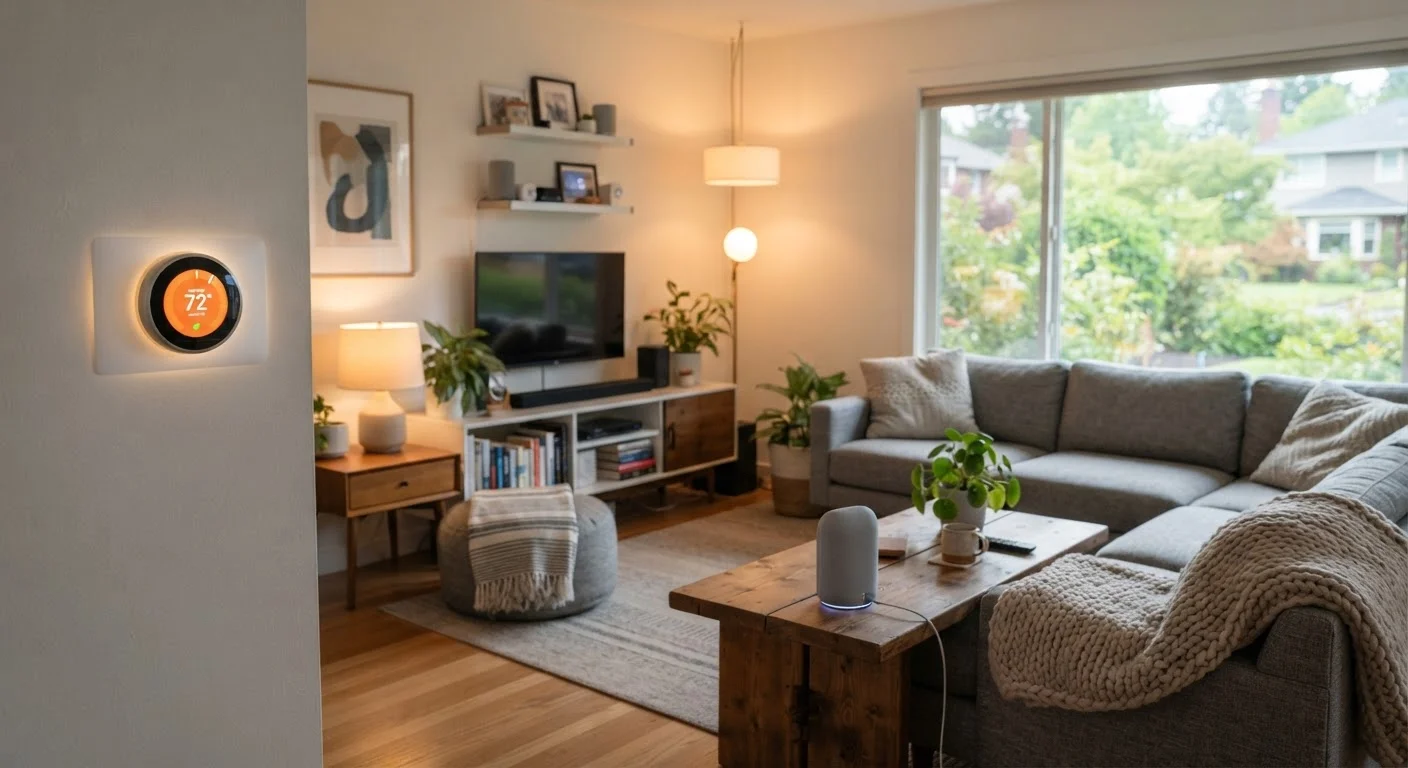
A smart home is any living space where everyday devices - lights, locks, thermostats, cameras - can be controlled remotely or programmed to act automatically. The word "smart" simply means the device has a processor and a wireless radio that lets it receive instructions from a phone, a voice assistant, or a scheduled rule you set up.
You do not need a fully automated home to benefit from smart devices. Many people start with a single smart bulb or plug and never go further - and that's completely valid. The goal is to add convenience, efficiency, or security in ways that genuinely fit your life. If you're also thinking about broader home upgrades, our home improvement starter guide covers how to prioritize changes as a first-time homeowner.
Hub
A central device that connects smart home gadgets using short-range radio protocols (like Zigbee or Z-Wave) and bridges them to your home network and the internet.
Ecosystem
A family of apps, devices, and voice assistants from one company or platform - such as Amazon Alexa, Google Home, or Apple HomeKit - that are designed to work together.
Automation
A rule you program so a device acts on its own, such as turning lights off at midnight or locking the front door when you leave home.
Matter
An open connectivity standard that allows smart devices from different manufacturers to communicate with each other without requiring a proprietary hub.
Mesh Network
A network arrangement where each device also acts as a signal relay, extending coverage across a home without needing every device to reach the router directly.
Two-Factor Authentication (2FA)
A login security method that requires a second verification step - usually a code sent to your phone - in addition to your password.
The Four Core Device Categories
Smart home devices generally fall into four practical categories:
- Lighting: Smart bulbs and light switches let you dim, schedule, or change color from your phone. They screw into standard sockets and require no rewiring.
- Climate: Smart thermostats learn your schedule and adjust heating or cooling automatically, often reducing energy use without requiring manual changes.
- Security: Smart locks, video doorbells, and indoor cameras let you monitor and control access from anywhere. They typically log activity and send alerts to your phone.
- Plugs and switches: Smart plugs convert ordinary outlets into controllable ones. Plug in a lamp or fan, and you can switch it on or off remotely or on a timer.
Each category solves a different problem. Thinking about which problem you actually want solved - rather than buying whatever looks impressive - will save you money and frustration.
How Smart Devices Actually Connect
Understanding connectivity prevents compatibility mistakes. Most consumer smart home devices use one of three approaches:
- Wi-Fi
- The device connects directly to your home router, just like your phone. Setup is usually easy, but devices can strain a crowded network, and they depend on your internet connection being up.
- Zigbee and Z-Wave
- These are low-power radio protocols designed specifically for smart home devices. They form a mesh network - each device can relay signals to others - but they typically require a separate hub or bridge to connect to your phone and the internet.
- Matter
- A newer, open standard that lets devices from different manufacturers communicate directly. Growing numbers of devices now support Matter, which simplifies mixing products from multiple ecosystems.
For beginners, Wi-Fi devices are the lowest barrier to entry because they don't need a hub. The tradeoff is that they use more power and depend on a strong wireless signal. Our deep dive on how smart speakers actually work explains the cloud-processing layer that most Wi-Fi smart devices also rely on.
Test Your Wi-Fi Before Buying Devices
Walk to the location where you plan to install a smart device and check your phone's signal strength. If the connection is weak there, a Wi-Fi smart device will likely be unreliable. Consider a mesh Wi-Fi system or a powerline adapter to improve coverage before adding devices to that area.
Privacy and Security Basics
Smart devices collect data - usage patterns, voice clips if a microphone is present, and sometimes video. Before you add any device to your network, it's worth understanding what data it gathers and how to limit that exposure.
Three habits protect most households:
- Use a separate Wi-Fi network for smart devices. Most modern routers let you create a guest network. Isolating smart devices means a compromised gadget can't easily reach your laptops or phones.
- Use strong, unique passwords and two-factor authentication for every manufacturer account you create.
- Review app permissions and privacy settings at setup. Many apps request microphone or location access that isn't necessary for basic function - you can often deny these without losing core features.
For a fuller picture of protecting your personal information online, see our guide to staying safe online. The same foundational habits apply to smart home ecosystems.
Default Passwords Are a Real Risk
Many smart home devices ship with default administrator passwords that are publicly documented. Attackers routinely scan home networks for devices still using defaults. Change every device's password and associated account password during setup - before the device goes live on your network.
Where to Start: A Practical First Step
The most common beginner mistake is buying several devices at once from different manufacturers without checking whether they work together. Before purchasing anything, decide which ecosystem - such as Amazon Alexa, Google Home, or Apple HomeKit - you want to anchor around. Then confirm that any device you consider lists that ecosystem as compatible.
A smart plug is often the best first device. It costs little, requires zero installation beyond plugging it in, and teaches you the setup flow - downloading an app, connecting to Wi-Fi, naming the device, and setting a schedule - that every other smart device will repeat. Once you're comfortable with one device, adding the next is far less intimidating.
When you're ready to evaluate specific products, understanding product specs and certifications helps you read labels and listings with more confidence, so you're not relying solely on marketing language.
Start small, choose compatible devices, and build at a pace that makes sense for your home and budget. Smart home technology is meant to simplify your life - not complicate it.
Frequently Asked Questions
No - most smart devices are controlled through their own smartphone app and don't require a smart speaker. Voice assistants like Alexa or Google Home add convenience, but they are optional extras, not requirements.
It depends on the device and protocol. Many Wi-Fi-only devices lose remote control and automation when the internet drops. Devices using Zigbee or Z-Wave with a local hub may still work locally but won't accept remote commands until connectivity is restored.
Smart plugs and smart lighting can reduce energy use by turning devices off automatically when not needed. Smart thermostats are particularly well-documented for cutting heating and cooling costs over time. Individual results vary based on household habits.
Smart locks from established manufacturers use encrypted communications and can be more resistant to physical picking than traditional locks. The main risk is weak account passwords - use a strong, unique password and enable two-factor authentication on any app controlling access.
Matter is a newer smart home standard backed by major tech companies that allows devices from different manufacturers to work together reliably. Choosing Matter-compatible devices can reduce compatibility headaches, though not all devices support it yet.
Many smart home upgrades are renter-friendly - smart plugs, smart bulbs, and portable speakers require no installation at all. Smart locks and hardwired thermostats may require landlord approval, so check your lease before installing anything permanent.
The content on this site is provided for informational purposes only and should not be considered a substitute for professional advice. While we strive to provide accurate and up-to-date information, we make no guarantees regarding its completeness or accuracy. Always consult a qualified professional for advice specific to your circumstances before making any decisions.